Skip to product information
1 of 12
🔔 Q4 Special

Limited Offer Countdown

Limited Offer Countdown

️🔧 Volle Anpassbarkeit im Editor
💻 0,0 programmieren oder im Code arbeiten
💰 Die Module der größten ECOM Brands
❌ Keine teuren Entwickler mehr nötig
Regular price $21.00 USD
Regular price Sale price $21.00 USD
Sold out
Tax included.

Instant access to code, including instructions

Kunde 2 Kunde 1 Kunde 2
Used by over 1180 DTC Brands
American Express PayPal Apple Pay Google Pay Mastercard Visa Klarna Maestro

One-time Payment

24/7 Support

Benefit Icon

Money back if something doesn't work for you

⚙️ Grundeinstellungen

• Außenabstand oben & unten separat per Slider einstellbar

• Enddatum für Countdown frei wählbar

• Modul auf Wunsch terminierbar (Start- & Veröffentlichungsdatum definierbar)

📦 Box Einstellungen

• Bis zu drei Hintergrundfarben für die Box konfigurierbar

• Innenabstand (Padding) vertikal & horizontal separat einstellbar

• Eckenabrundung der Box flexibel anpassbar

🏷️ Badge Einstellungen

• Badge-Text frei definierbar (z. B. %-Rabatt)

• Textfarbe, Schriftgröße & Schriftgewicht des Badges einstellbar

• Zwei Hintergrundfarben für das Badge konfigurierbar

• Innenabstand (vertikal & horizontal) individuell einstellbar

• Eckenabrundung des Badges flexibel anpassbar

📝 Titel Einstellungen

• Titeltext frei eintragbar

• Schriftgröße & Schriftgewicht des Titels per Slider definierbar

⏳ Countdown Einstellungen

• Hintergrundfarbe der Countdown-Zeitbox konfigurierbar

• Countdown-Box auf Wunsch transparent schaltbar

• Konturfarbe, Innenabstand & Eckenabrundung der Zeitbox einstellbar

• Schriftgröße & -farbe der Zählerwerte (Zahlen) individuell anpassbar

• Schriftgröße & -farbe der Labels (Tage, Stunden etc.) einstellbar

• Anordnung von Zählerwert & Label wählbar (untereinander oder nebeneinander)

• Anzeige von Tagen und Sekunden separat ein- oder ausblendbar

View full details

Here’s what you get – and how it looks

-70%
BLACK WEEK I ENDET IN:
--
TAGE
--
STD
--
MIN
--
SEK

Wie funktioniert's?

Module

👉 Einzelne Blöcke innerhalb einer Section

STEP 1
STEP 1

Zugangslink in der Bestellbestätigung öffnen.

STEP 2

Modul in unserem Editor
anpassen

STEP 3
STEP 3

Fertig bearbeitetes Modul in die Zwischenablage kopieren

STEP 4
STEP 4

In deinem Theme Editor den Block "Benutzerdefiniertes Liquid" auswählen

STEP 5

Modul aus der Zwischenablage hier einfügen. Jetzt wird es sichtbar

👉 Eigenständige, ganze Sections

STEP 1
STEP 1

Zugangslink in der Bestellbestätigung öffnen.

STEP 2
STEP 2

Code der Section auf der Zugangsseite kopieren

STEP 3
STEP 3

Kicke bei deinem Theme auf den Reiter "Edit code"

STEP 4

Neue Datei erstellen und kopierten Code dort einfügen

STEP 5

Section im Theme Editor auswählen und wie gewohnt anpassen

Bereits +1180 Brands verkaufen mit unseren Modulen

  • Slide
  • Slide
  • Slide
  • Slide
  • Slide
  • Slide
  • Slide
  • Slide
  • Slide
  • Slide
  • Slide
  • Slide
  • Slide
  • Slide
  • Slide
  • Slide
  • Slide
  • Slide
  • Slide
  • Slide
  • Slide
  • Slide
  • Slide
  • Slide
  • Slide
  • Slide
  • Slide
  • Slide
  • Slide
  • Slide
  • Slide
  • Slide
  • Slide
  • Slide
  • Slide
  • Slide
  • Slide
  • Slide
  • Slide
  • Slide
  • Slide
  • Slide
  • Slide
  • Slide
  • Slide
  • Slide
  • Slide
  • Slide
  • Slide
  • Slide
  • Slide
  • Slide
  • Slide
  • Slide
  • Slide
  • Slide
  • Slide
  • Slide
  • Slide
  • Slide
  • Slide
  • Slide
  • Slide
  • Slide
  • Slide
  • Slide
  • Slide
  • Slide
  • Slide
  • Slide
  • Slide
  • Slide
  • Slide
  • Slide
  • Slide
  • Slide
  • Slide
  • Slide
  • Slide
  • Slide
  • Slide
  • Slide
  • Slide
  • Slide
  • Slide
  • Slide
  • Slide
  • Slide
  • Slide
  • Slide
  • Slide
  • Slide
  • Slide
  • Slide
  • Slide
  • Slide
  • Slide
  • Slide
  • Slide
  • Slide
  • Slide
  • Slide
  • Slide
  • Slide
  • Slide
  • Slide
  • Slide
  • Slide
  • Slide
  • Slide
  • Slide
  • Slide
  • Slide
  • Slide
  • Slide
  • Slide
  • Slide
  • Slide
  • Slide
  • Slide
  • Slide
  • Slide
  • Slide
  • Slide
  • Slide
  • Slide
  • Slide
  • Slide
  • Slide
  • Slide
  • Slide
  • Slide
  • Slide
  • Slide
  • Slide
  • Slide
  • Slide
  • Slide
  • Slide
  • Slide
  • Slide
  • Slide
  • Slide
  • Slide
  • Slide
  • Slide
  • Slide
  • Slide
  • Slide
  • Slide
  • Slide
  • Slide
  • Slide
  • Slide
  • Slide
  • Slide
  • Slide
  • Slide
  • Slide
  • Slide
  • Slide
  • Slide
  • Slide
  • Slide
  • Slide
  • Slide
  • Slide
  • Slide
  • Slide
  • Slide
  • Slide
  • Slide
  • Slide
  • Slide

Was erfolgreiche Shops zu uns sagen

Video Vorschau
Video Vorschau
Video Vorschau
Video Vorschau
Video Vorschau
Video Vorschau
  • Spare dir teure Entwickler

  • Einmal Zahlen. Immer nutzen

  • Kein Basic Shop mehr

  • Regelmäßige Updates

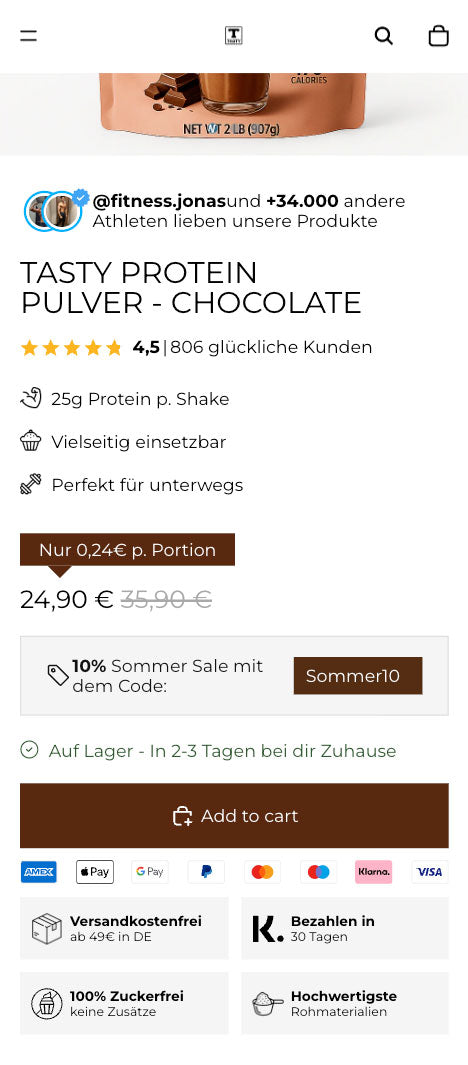
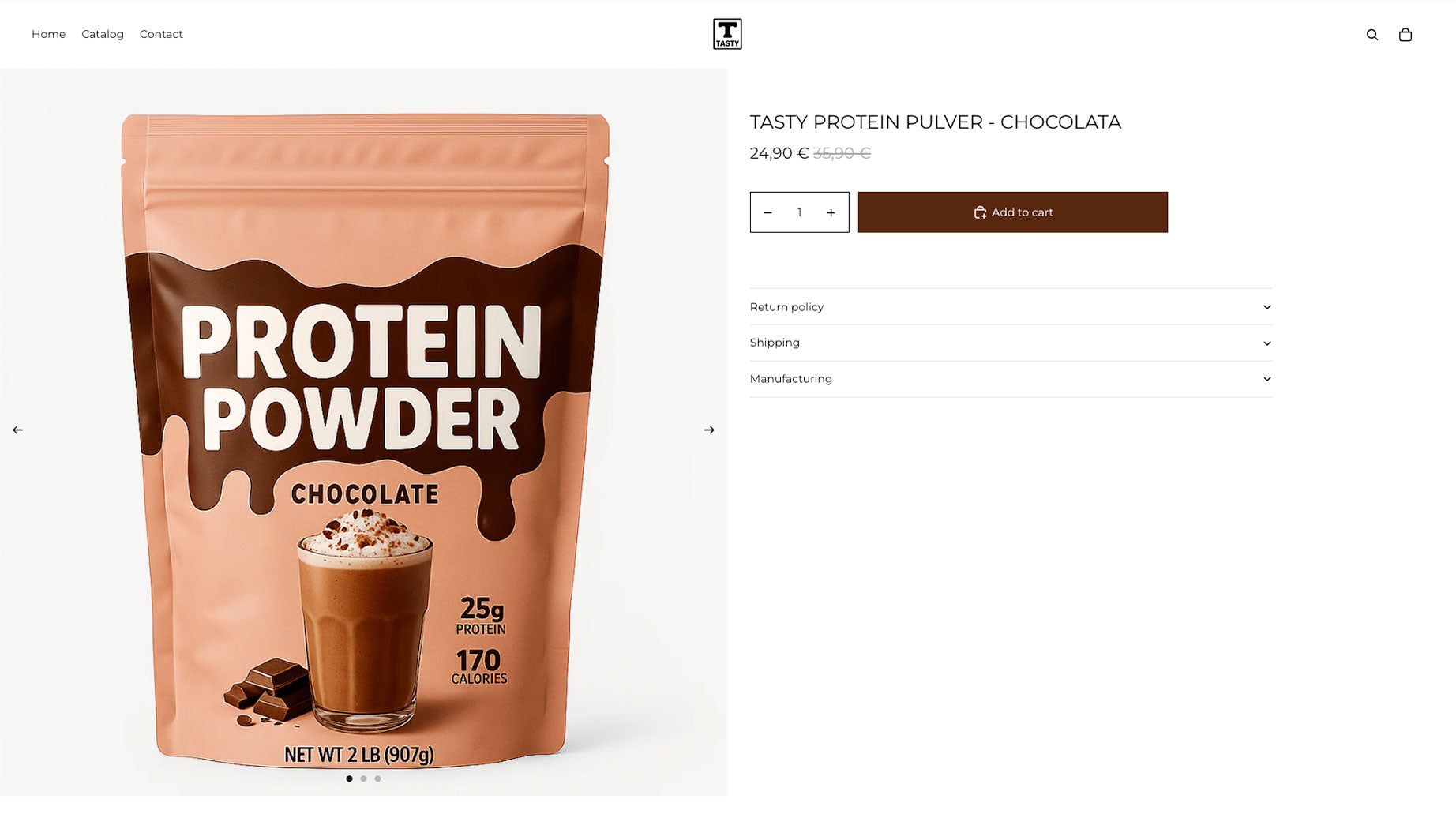
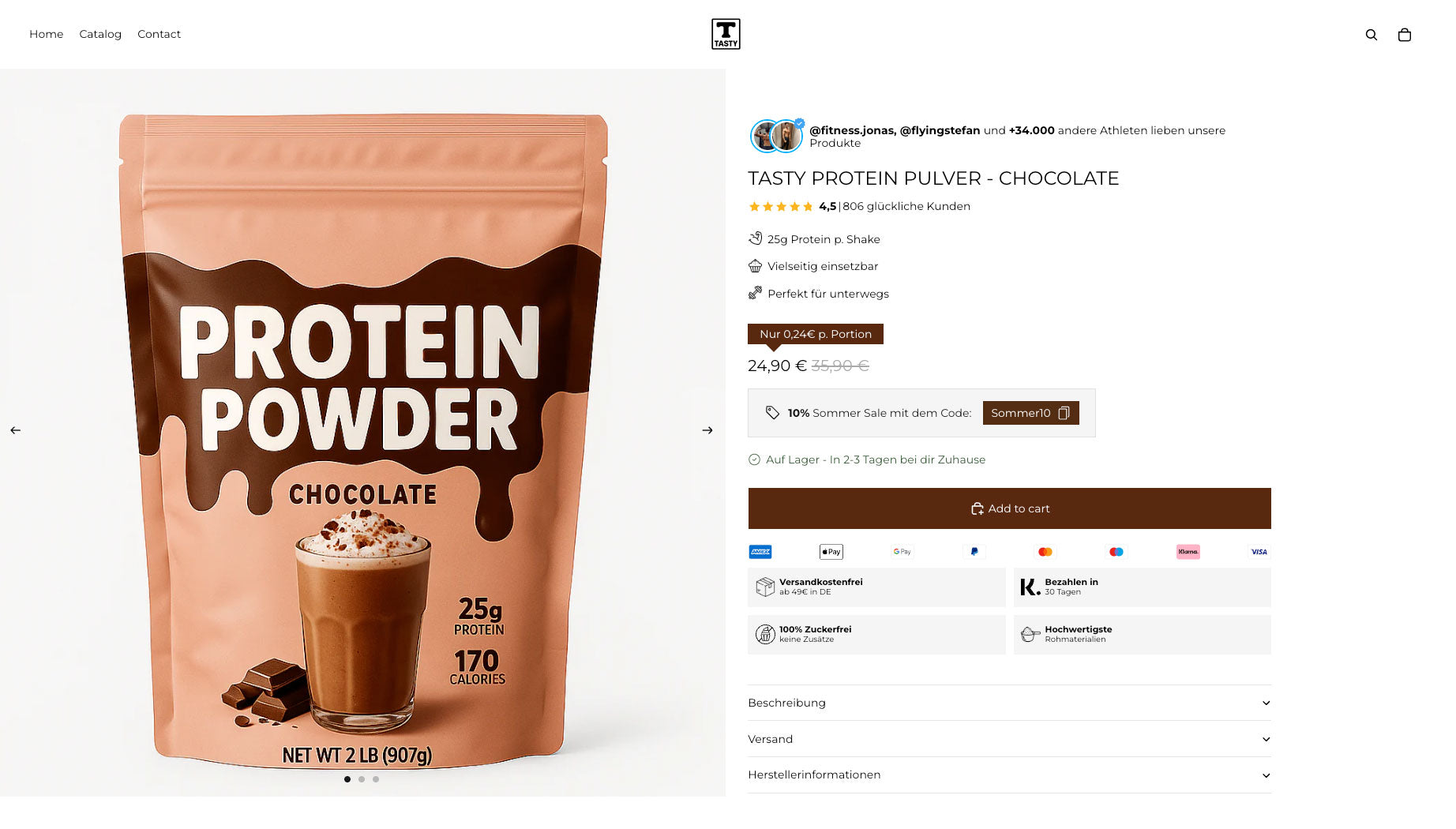
Deine Produktseite Vorher & Nachher
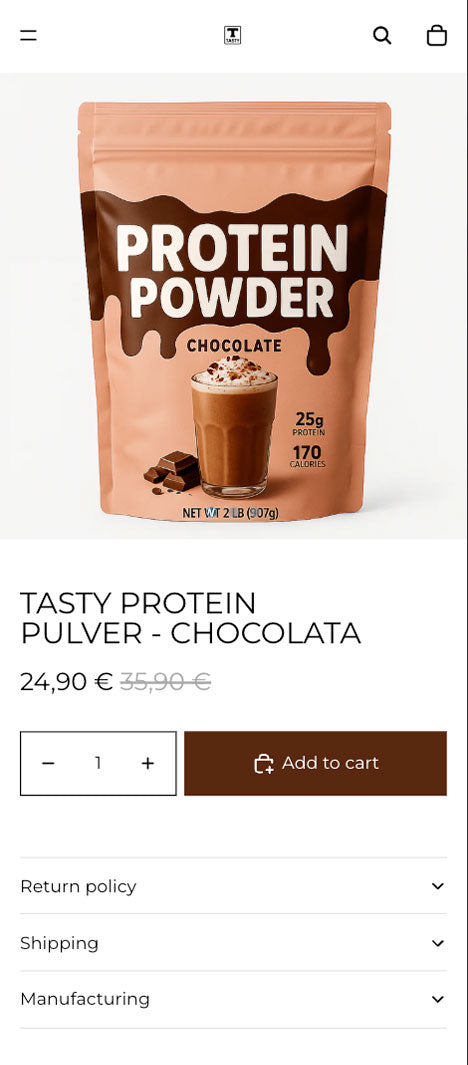
color photo 🚫 Ohne
black and white Mit ✅
color photo 🚫 Ohne
black and white Mit ✅

FAQ

Do you offer discounts?

Yes, we regularly offer discounts on both our sections and modules. Sign up for our newsletter to benefit from exclusive offers, including a 15% discount.

Can the sections and modules be integrated into any Shopify theme?

Yes, both sections and modules can be integrated into any Shopify theme. For modules, it's important that your theme supports the "Custom Liquid" feature. If your theme doesn't offer this feature or you need support, please contact us at hello@sectionheroes.de, and we'll be happy to help.

Can you also program custom sections and modules?

Yes, we offer customized solutions. Whether you need a custom section or a special module, we can develop it according to your requirements. Send us your request to hello@sectionheroes.de, and we'll get back to you promptly to discuss the details.

Do the sections and modules worsen my shop performance?

No, both our sections and modules are developed with clean and efficient code that won't impact your store's performance. We deliberately avoid using apps, as they often load unnecessary code and could slow down your store's loading times.

Can I customize the sections and modules?

Yes, both sections and modules can be customized for each product page. Sections are customized by creating different product templates in Shopify. Modules are also customized; some can also be controlled via meta fields that define specific content for each product.

What is the difference between sections and modules?

Sections and modules are both building blocks that you can use in your Shopify store, but they have different functions:

Sections: These blocks are highly customizable and can be placed anywhere on your page, except directly in the main product information area. They're ideal for adding additional content like testimonials or banners.

Module: Modules allow you to add special features and content directly to the product information section. Before integrating the modules, you can customize them to your liking using our exclusive editor. Our editor works the same way as the customization options in Shopify, but it's a tool we developed ourselves. These modules are then integrated into Shopify using the "Custom Liquid" feature, giving you the flexibility to use them exactly where you need them.

What happens after the purchase?

After your purchase, you'll receive an order confirmation email containing direct links to the purchased sections or modules. For sections, we also provide a video tutorial showing you how to integrate the sections into your Shopify store. For modules, you get access to our exclusive module editor, which helps you customize the modules to your liking. The customization options here are the same as those you're used to from Shopify Sections. A separate video tutorial isn't necessary for the module editor, as it's designed intuitively.

Die Köpfe hinter deinen Traum-Sections

Wir sind Joel (links) und Julian (rechts) und immer wieder ist uns aufgefallen, dass es an wichtigen Sections im Shopify Universum mangelt! Wenn schon uns das auffällt, dann sind wir sicher nicht die einzigen! Daraufhin haben wir unsere eigenen Sections entwickelt und wollen dich nun dran teilhaben lassen!

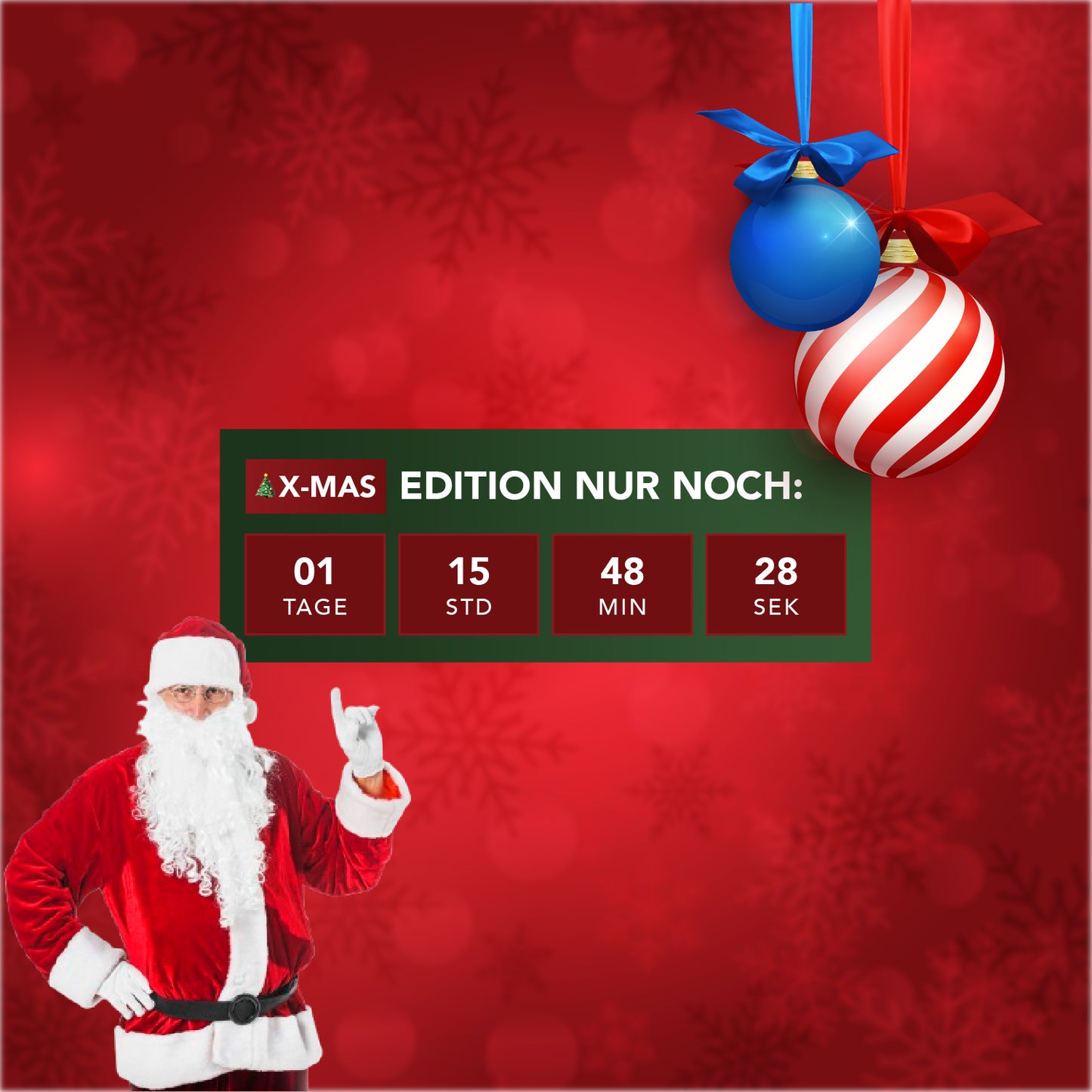
Limited Offer Countdown Section für Q4 – Terminierter Countdown, Badge & voll anpassbare Box

Im Q4 entscheiden oft Sekunden darüber, ob ein Kunde kauft oder abspringt. Mit der Limited Offer Countdown Section holst du das Maximum aus großen Shopping-Events wie Black Friday, Cyber Week, Holiday Sales oder zeitlich limitierten Produktaktionen heraus. Der Countdown mit Terminierungsfunktion, ein individuell anpassbares Badge und eine hochgradig konfigurierbare Box erzeugen starke Dringlichkeit – und steigern so nachweislich deine Conversion-Rate.

Warum die Limited Offer Countdown Section ein Q4-Must-Have ist

Diese Section kombiniert zeitliche Verknappung, klare Kommunikation und volle Designkontrolle. Du bestimmst Start- und Enddatum, steuerst die Sichtbarkeit nach Zeitplan und passt Hintergründe, Schriftgrößen, Abstände und Farben flexibel an. Ideal für Flash Sales, limited Drops, Pre-Launch Phasen oder stark rabattierte Q4-Aktionen.

  • Terminierter Countdown: Lege exakte Start- & Enddaten fest – perfekt für zeitlich begrenzte Q4-Promos.
  • Flexibel anpassbare Box: 3 Hintergrundfarben, Border-Radius, Padding & Abstände frei definierbar.
  • Individuelles Badge: Frei wählbarer Text, zweifarbiger Hintergrund, anpassbare Schriftgrößen & runde Ecken.
  • Optimierter Countdown-Bereich: Schriftgröße/-farbe, Label-Position (nebeneinander oder untereinander), optionale Anzeige von Tagen & Sekunden.
  • Maximale Kontrolle: Sichtbarkeit über Zeit steuerbar, transparente Timebox optional.

Perfekt für Q4-Aktionen wie Black Friday & Cyber Monday

Die Section eignet sich ideal für Shops, die im Q4 maximale Sichtbarkeit und Conversion brauchen:

  • Black Friday Countdown Section: Zeige exakt, wie lange der Deal läuft.
  • Holiday & Christmas Deals: Begrenze Aktionen und schaffe Vorfreude.
  • Limited Drops & Pre-Order Launches: Setze ein visuelles Zeitlimit und steigere die Spannung.
  • Q4 Rabattaktionen: Kombiniere Countdown + Badge für maximale Aufmerksamkeit.

Vorteile auf einen Blick

  • Mehr Umsatz im Q4: Klare Zeitlimits führen zu schnellerem Handeln und höheren Conversions.
  • Maximale Anpassbarkeit: Farben, Größen, Spacing, Badge, Countdown – alles vollständig steuerbar.
  • Hohe Sichtbarkeit: Auffällige Box, klarer Timer, optional transparente Elemente.
  • Shopify Q4 Section: Ideal für Produktseiten, Landingpages und Startseiten.
  • Conversion-stark: Perfekt für zeitkritische Sales wie Black Friday & Cyber Week.

Fazit: Die ultimative Countdown-Section für starke Q4-Conversions

Die Limited Offer Countdown Section verbindet maximale Flexibilität mit klarer Dringlichkeit. Ob Black Friday Section, Q4 Countdown, Holiday Sale Module oder zeitlich limitiertes Angebot – dieses Modul sorgt dafür, dass Besucher schneller kaufen und Aktionen besser performen.

Jetzt einsetzen und die wichtigsten Shopping-Events des Jahres erfolgreich skalieren!